Crawler.sh: SEO Crawler for Local Technical Audits and Content Extraction (2026)
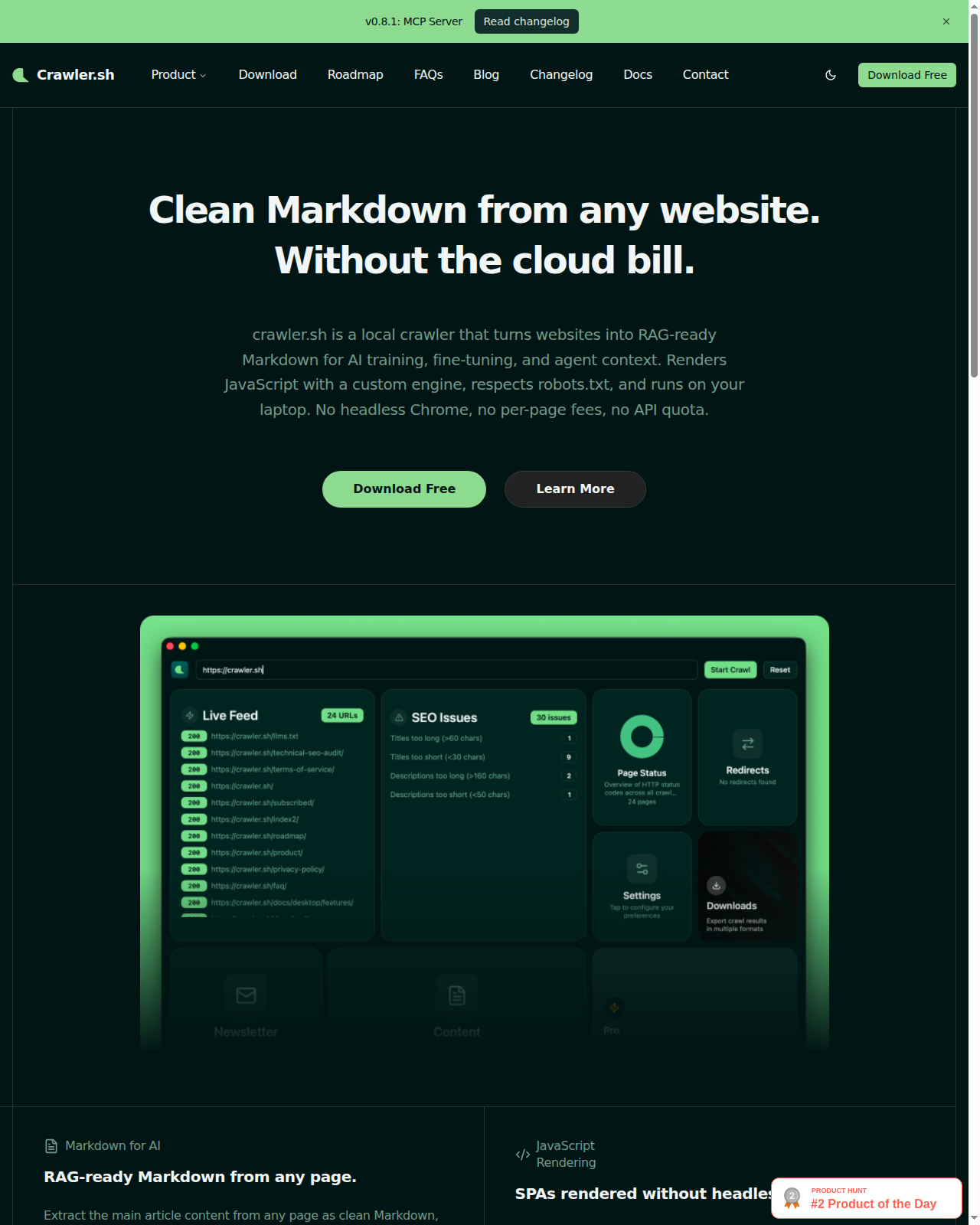
Crawler.sh is a local-first SEO crawler by crawler.sh that audits sites, renders JavaScript, and exports content in Markdown and structured formats from a CLI or desktop app. Its core differentiator is that it combines technical SEO crawling and clean content extraction without forcing teams into a cloud workflow or per-page billing model. It is a strong fit for technical SEOs, developers, and content teams that need fast local crawls, but it is the wrong tool for buyers who expect backlink intelligence, managed cloud collaboration, or a giant all-in-one SEO suite.
Crawler.sh: Key Specs at a Glance
| Feature | Value |
|---|
| Primary use case | Technical SEO crawling and Markdown-ready content extraction. |
| Best for | Technical SEOs, developers, content teams, and local-first audit workflows. |
| Access type | CLI and desktop app. |
| Keyword database | Not publicly documented and not core to the product. |
| Backlink index | Not publicly documented and not core to the product. |
| JavaScript rendering | Yes, the official site says it runs locally and renders JavaScript. |
| Crawl limit | Free: up to 50 pages per session. Pro: up to 10,000 pages per session. |
| Output formats | CSV, TXT, NDJSON, JSON, Sitemap XML, and Markdown output. |
| Search engines supported | Not publicly documented; this is a crawler, not a rank tracker. |
| Content extraction | Markdown output is included on Pro. |
| SEO analysis | 16-category SEO analysis with CSV/TXT export on Pro. |
| API availability | Not publicly documented. |
| Integrations | Not publicly documented. |
| Collaboration / seats | One subscription covers CLI and desktop app; seat policy not publicly documented. |
| Pricing model | Free tier plus annual Pro subscriptions. |
| Free plan | Yes: $0 with up to 50 pages per session and no account required. |
| Paid plans | Pro CLI $99/year and Pro Desktop $99/year. |
What Crawler.sh Does Well
The free tier is genuinely usable for small audits
Crawler.sh lets users crawl up to 50 pages per session for free, with no account required. That is enough to test a site section, a product cluster, or a staging area before deciding whether a paid crawler deserves a place in the workflow.
For freelancers and developers who hate bloated evaluation flows, that is a real usability win.
Local-first crawling solves a real workflow problem
The product runs locally, renders JavaScript, and offers both CLI and desktop modes. That makes it appealing for technical users who want faster iteration, data privacy, and tighter control than browser-only cloud crawlers usually provide.
The local-first angle also makes Crawler.sh attractive for AI-era content operations where teams want Markdown output from the same crawl that identifies technical issues.
Output flexibility is stronger than the price suggests
On Pro, Crawler.sh supports NDJSON, JSON, Sitemap XML, CSV/TXT exports, Markdown extraction, and a 16-category SEO analysis layer. That is a practical feature mix for site inventories, content migration prep, and lightweight internal audit pipelines.
At $99/year, it is easier to justify as a secondary crawler or developer-side audit tool than many enterprise-focused alternatives.
Known Limitations
- Crawler.sh is a crawler, not a full SEO platform. It does not publish a keyword database, backlink index, or rank tracking system.
- The free tier is limited to 50 pages per session and the Pro tier to 10,000 pages per session, so very large enterprise sites may still need a heavier crawler stack.
- Collaboration and seat governance are not clearly documented, which matters for agency teams that want shared projects, review states, or client-facing workspaces.
- A public API was not documented, which may reduce its appeal for teams that want to automate crawl ingestion into custom pipelines.
- The local-first model is a strength, but it also means teams looking for always-on cloud monitoring, scheduled scans, or centralized project dashboards may feel under-served.
Best For: Who Should Use Crawler.sh
- Technical SEOs who want a fast local crawler instead of another cloud subscription.
- Developers and site owners who need Markdown extraction plus audit output from one pass.
- Content teams preparing migrations, knowledge-base exports, or AI/RAG-ready site archives.
- Small agencies that need an affordable supplementary crawler for targeted audits.
Who Should Look Elsewhere
- Choose a larger crawler if you need enterprise-scale scheduled crawling and centralized cloud project management.
- Choose an all-in-one SEO suite if rank tracking, backlinks, and keyword research matter more than crawling.
- Choose a reporting tool instead if the main requirement is client dashboards rather than crawl diagnostics.
Pricing & Cost at Scale
Crawler.sh is easy to price. The free version covers up to 50 pages per session, while Pro CLI and Pro Desktop each cost $99/year. That makes the tool attractive as a low-friction purchase for technical users who already know why they need a crawler.
For a solo SEO or developer, $99/year is cheap enough to justify if JavaScript rendering and Markdown extraction save even a few manual hours each month. For a small agency, the value depends on whether 10,000 pages per session covers the typical audit footprint; if it does, the tool is unusually cost-efficient.
For enterprise or large-agency use, the pricing is less risky than the workflow fit. The bigger question is whether local-first operation, undocumented collaboration controls, and the 10,000-page session cap match the team’s operating model. Cost is not the blocker; governance and scale may be.
Prices are subject to change. Check the official pricing page for current details.
Integrations & Workflow Fit
Crawler.sh looks best as a standalone technical utility rather than a deeply integrated SEO hub. The official site emphasizes local execution, structured exports, and Markdown extraction instead of external connectors. That is fine for technical teams who prefer to move data through files and scripts, but less attractive for buyers who want native GSC, GA4, or BI integrations.
Getting Started
- Start with the free version and crawl a 30-50 page section of a site you know well.
- Compare the JavaScript-rendered output with your browser view so you understand how the crawler interprets the site.
- Export crawl data to CSV or JSON first, then test Markdown output on the pages you may want to archive or repurpose.
- Upgrade to Pro only when you know the 10,000-page session cap and output formats fit your recurring workflow.
- Use the crawler as a diagnostic step before content or IA changes, not after shipping, so the Markdown and SEO output can shape execution.
What Users Are Saying
Community discussions were searched for this tool, but no external review or discussion URL returned an acceptable 200, 301, or 302 status to curl during this run. Search results showed third-party coverage, but those pages were blocked or unavailable to compliant link validation, so this listing keeps the community section explicit instead of linking weak proof.
Have you tried this tool? Share your experience in the review section below to help other SEO professionals make the right choice.
FAQ
Is Crawler.sh free?
Yes, Crawler.sh has a free tier. It lets you crawl up to 50 pages per session with no account required.
How does Crawler.sh compare to a full SEO suite?
It is much narrower and more technical. Crawler.sh focuses on crawling, JavaScript rendering, and content extraction rather than backlinks, rankings, or keyword databases.
Is Crawler.sh good for agencies?
Yes, for targeted technical audits. It is affordable and flexible, but agencies should confirm whether the 10,000-page cap and local-first workflow fit their client volume.
Does Crawler.sh have an API?
Not publicly documented. The export formats are strong, but API-level automation was not described on the official site.
Can Crawler.sh crawl JavaScript-heavy sites?
Yes, that is one of its selling points. The official site explicitly says it renders JavaScript.
What is the maximum number of URLs Crawler.sh can crawl?
Up to 50 pages per session on the free tier and up to 10,000 pages per session on Pro.
Sources